asdf on Arch Linux: one tool for every language version
2026-11-16, originally published on pablomurad.com.
Arch is a rolling release. A pacman -Syu brings the newest version of everything, Node.js and Python included. The system likes that. A project written for an older Node often doesn't. On my Arch machine, the languages my projects run on stay out of pacman's hands, and the tool that handles them is asdf.
What asdf is #
asdf is a version manager. It installs and switches versions of programming languages and tools: Node.js, Python, Ruby, Go, Elixir, Erlang, Java, Terraform, kubectl and hundreds more.
Most people have met tools that do this for one language: nvm for Node, pyenv for Python, rbenv for Ruby. asdf does the same job for all of them with one set of commands. Each language comes in through a plugin, and each project says which versions it wants in a small text file called .tool-versions.
Up to version 0.15, asdf was a set of Bash scripts that got loaded into the shell. Version 0.16 rewrote it in Go, so now it's a single binary. The current release is 0.20.2, from September 2026.
Why I use it #
- One tool and one set of commands for every language. Install, list, switch and remove work the same way for Node, Python or Go.
- Each project carries its own versions. The
.tool-versionsfile goes into git with the code, so whoever clones it (me on another machine, someone else, a CI job) gets the same versions. - The switch is automatic. A
cdinto a folder and the right version is there. There's nonvm useto remember. - The system is left alone. Everything asdf installs lives in
~/.asdf, with nosudo. The Python that pacman installs, and that Arch's own tools depend on, is never touched. - Upgrades become a decision. When pacman moves Node to a new major version, my projects don't move with it. I change a version when I choose to.
- It reads the files other managers use. With one config line, asdf respects
.nvmrc,.node-versionand.ruby-version, so moving from nvm or rbenv doesn't mean editing every project.
Other distros #
asdf is a single binary plus a folder of shims on the PATH, and nothing in it depends on Arch. The setup, the commands and the .tool-versions file in this post are the same on Debian, Ubuntu, Fedora, openSUSE or any other Linux, and on macOS too.
Two things change from distro to distro:
- How asdf gets installed. The AUR is an Arch thing. Other distros use the pre-compiled binary,
go install, Homebrew, orzypperon openSUSE. They're all below. - The names of the packages some plugins need, like the build dependencies for Python. I'll show the Arch names, and each plugin's page lists the others.
The release page has builds for Linux and macOS only. On Windows, the way to use asdf is inside WSL.
Installing on Arch #
asdf isn't in the official repositories. It lives in the AUR, as asdf-vm.
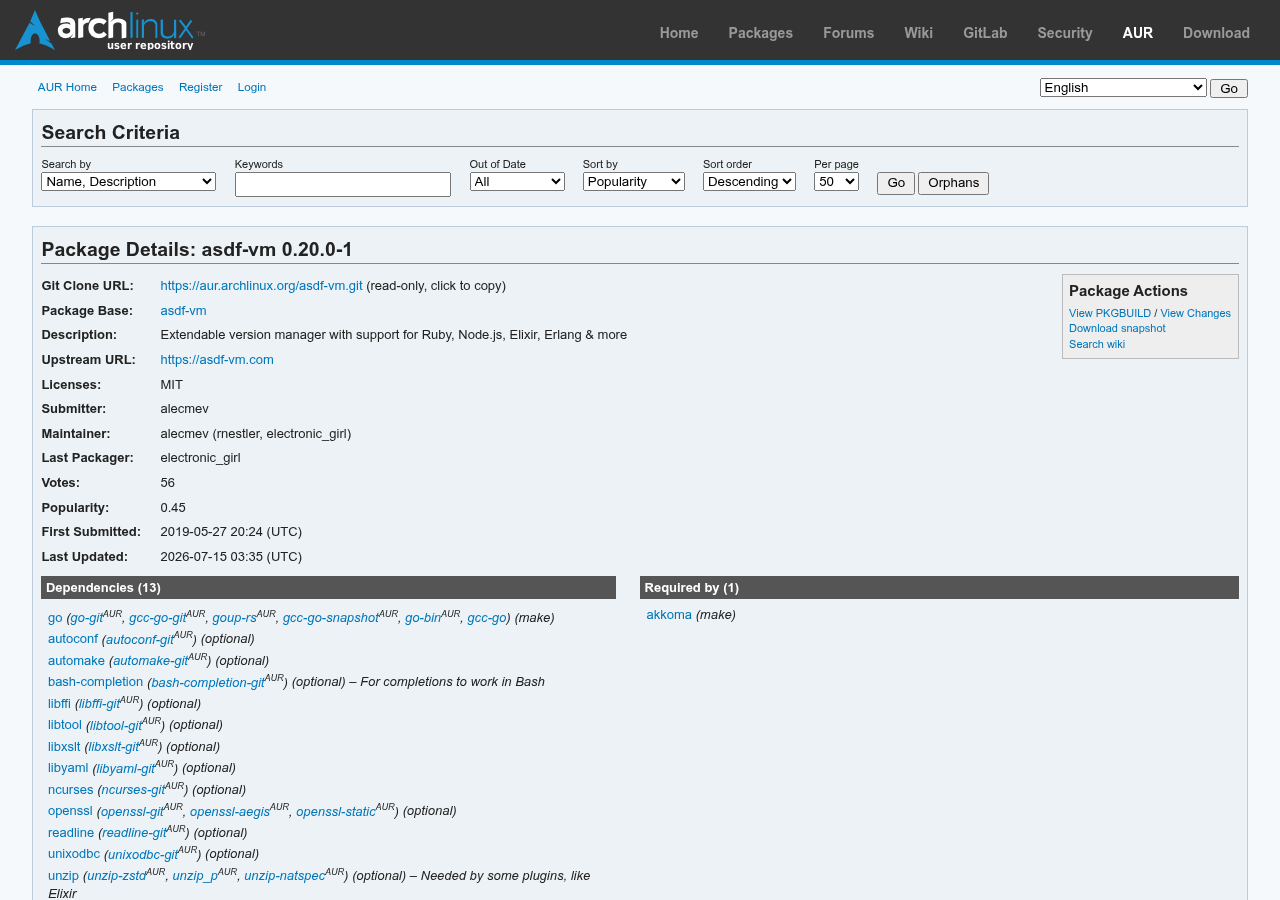
With an AUR helper like yay or paru:
yay -S asdf-vmWithout a helper, the manual way, which needs git and base-devel:
sudo pacman -S --needed git base-devel
git clone https://aur.archlinux.org/asdf-vm.git
cd asdf-vm
makepkg -si
The package compiles asdf from source with Go (makepkg pulls go in as a build dependency), puts the binary at /usr/bin/asdf, and installs completions for Bash, Zsh and Fish.
One warning: a search for "asdf" in the AUR also finds python-asdf. That one is a Python library for the Advanced Scientific Data Format, used in astronomy. It has nothing to do with this.
Other ways, for any distro #
The pre-compiled binary works everywhere. Download the archive for the system from the releases page, extract it and put asdf somewhere on the PATH:
mkdir -p ~/.local/bin
curl -LO https://github.com/asdf-vm/asdf/releases/download/v0.20.2/asdf-v0.20.2-linux-amd64.tar.gz
tar -xzf asdf-v0.20.2-linux-amd64.tar.gz -C ~/.local/bin asdf
type -a asdf
With Go installed, one line does it:
go install github.com/asdf-vm/asdf/cmd/asdf@v0.20.2That puts the binary in ~/go/bin, which then needs to be on the PATH.
Telling the shell about it #
asdf works through shims: small programs in ~/.asdf/shims with the names of the installed tools (node, npm, python, go). That folder has to come first in the PATH, before /usr/bin, or the shell finds pacman's versions first.
For Bash, add this to ~/.bash_profile:
export PATH="${ASDF_DATA_DIR:-$HOME/.asdf}/shims:$PATH"For Zsh, the same line goes in ~/.zshrc.
For Fish, add this to ~/.config/fish/config.fish:
if test -z $ASDF_DATA_DIR
set _asdf_shims "$HOME/.asdf/shims"
else
set _asdf_shims "$ASDF_DATA_DIR/shims"
end
if not contains $_asdf_shims $PATH
set -gx --prepend PATH $_asdf_shims
end
set --erase _asdf_shims
On Arch, the AUR package already installed the completions. Bash needs the bash-completion package for them to work, and Zsh needs compinit enabled in .zshrc. Fish picks them up on its own.
To keep asdf's data somewhere other than ~/.asdf, export ASDF_DATA_DIR before that PATH line. Most people never need to.
Open a new terminal and run asdf version to check that it's there. When I wrote this, the AUR package was at 0.20.0, two small releases behind 0.20.2. That gap is normal for the AUR, and everything in this post works on both.
A first language: Node.js #
asdf does nothing until a plugin is added. Start with Node:
asdf plugin add nodejsThe Node plugin downloads the official pre-compiled binaries from nodejs.org, so there's nothing to compile. Its docs list curl, gawk and gpg as dependencies on Debian. On Arch, curl and gawk are already there on almost any install, and gpg comes from the gnupg package.
See what versions exist, and which is the newest:
asdf list all nodejs
asdf latest nodejs
asdf latest nodejs 22
Now install two versions. latest:22 means "the newest 22.x", resolved at the moment it runs:
$ asdf install nodejs latest:22
Downloading node-v22.23.5-linux-x64.tar.gz...
-> https://nodejs.org/dist/v22.23.5/node-v22.23.5-linux-x64.tar.gz
Installing node-v22.23.5-linux-x64...
Installed node-v22.23.5-linux-x64 to /home/pablo/.asdf/installs/nodejs/22.23.5

$ asdf install nodejs latest:24
Installed node-v24.22.3-linux-x64 to /home/pablo/.asdf/installs/nodejs/24.22.3

$ asdf list nodejs
22.23.5
24.22.3
Choosing a version #
Installing a version doesn't activate it. Running node now, asdf says so:
$ node --version
No version is set for command node
Consider adding one of the following versions in your config file at /home/pablo/.tool-versions
nodejs 24.22.3
nodejs 22.23.5
First, set a default for everything under the home folder. The -u flag writes to ~/.tool-versions:
$ asdf set -u nodejs 24.22.3
$ cat ~/.tool-versions
nodejs 24.22.3
$ node --version
v24.22.3
Then pin an older project to Node 22. Without a flag, asdf set writes a .tool-versions in the current folder:
$ cd ~/code/old-api
$ asdf set nodejs 22.23.5
$ cat .tool-versions
nodejs 22.23.5
$ node --version
v22.23.5
Outside the folder, it's back to 24:
$ cd ~ && node --version
v24.22.3
asdf current shows which version is active and where that choice came from:
$ cd ~/code/old-api
$ asdf current
Name Version Source Installed
nodejs 22.23.5 /home/pablo/code/old-api/.tool-versions true
How the switch works #

When someone types node, the shell finds ~/.asdf/shims/node first, because that folder is at the front of the PATH. The shim hands the call to asdf. asdf looks for a .tool-versions file in the current folder, then in each parent folder up to the home folder, reads the version it finds, and runs the real binary from ~/.asdf/installs.
A few things follow from that:
- Nothing runs on
cd. The version is decided at the moment the command runs. - A
.tool-versionsin a subfolder wins over one in a parent folder, and the one in the home folder is the fallback. - An environment variable wins over all files.
ASDF_NODEJS_VERSION=22.23.5 node app.jsruns that one command on Node 22, from any folder. -
asdf set python systemhands a tool back to the version pacman installed.
To see the real path behind a shim, use asdf which:
$ asdf which node
/home/pablo/.asdf/installs/nodejs/22.23.5/bin/node
A second language: Python #
Python is where asdf asks for more. The Python plugin uses pyenv's python-build, which compiles Python from source on Linux. So first install the build dependencies. On Arch, these are the ones pyenv lists:
sudo pacman -S --needed base-devel openssl zlib xz tk zstdThen the usual steps:
asdf plugin add python
asdf list all python 3.14
And the install itself:
$ asdf install python 3.14.10
Downloading Python-3.14.10.tar.xz...
-> https://www.python.org/ftp/python/3.14.10/Python-3.14.10.tar.xz
Installing Python-3.14.10...
Installed Python-3.14.10 to /home/pablo/.asdf/installs/python/3.14.10
The build takes a few minutes, depending on the machine. When it's done, python follows the same rules as node.
Pick an exact version here. At the time of writing, asdf latest python answers with a version that ends in t, like 3.15.2t. That t is the free-threaded build of Python, which runs without the GIL and isn't what most projects expect. asdf list all python 3.14 shows both, and the one without the t is the regular build.
One file, several tools #
A .tool-versions file can hold every language a project uses, one per line. Go, for example, has a plugin that downloads the official binaries:
$ cd ~/code/new-app
$ asdf plugin add golang
$ asdf set nodejs 24.22.3
$ asdf set golang 1.27.4
$ cat .tool-versions
nodejs 24.22.3
golang 1.27.4
Commit that file with the project. On a fresh machine, after adding the plugins, one command installs everything the file lists:
$ asdf install
version 1.27.4 of golang is already installed
version 24.22.3 of nodejs is already installed
$ go version
go version go1.27.4 linux/amd64
asdf also has an official GitHub Action that reads the same .tool-versions, so CI runs on the same versions as the laptop.
Coming from nvm, pyenv or rbenv #
Projects that already have .nvmrc, .node-version or .ruby-version files can keep them. asdf reads them only when asked: by default it ignores them, so a project with only an .nvmrc still gets the home folder's version:
$ cd ~/code/legacy
$ cat .nvmrc
22.23.5
$ node --version
v24.22.3
Turn the support on with one line in ~/.asdfrc:
legacy_version_file = yesAnd now the .nvmrc is respected:
$ node --version
v22.23.5
$ asdf current nodejs
Name Version Source Installed
nodejs 22.23.5 /home/pablo/code/legacy/.nvmrc true
Support for these files comes from each plugin. The Node plugin reads .nvmrc and .node-version, and the Ruby plugin reads .ruby-version.
Remove nvm or pyenv afterwards, including the lines they added to the shell config. Two managers fighting over the PATH is a classic source of "why is this the wrong version".
Commands worth remembering #
-
asdf plugin add <name>: add a language -
asdf plugin list: installed plugins -
asdf plugin list all: every plugin in the shortname list -
asdf plugin update --all: update every plugin -
asdf list all <name>: every version available -
asdf latest <name> [prefix]: newest stable version -
asdf install <name> <version>: install a version -
asdf install: install everything the.tool-versionsfile lists -
asdf list <name>: installed versions -
asdf set <name> <version>: pin a version in this folder -
asdf set -u <name> <version>: set the default in the home folder -
asdf current: what's active here, and why -
asdf which <command>: real path of a program -
asdf where <name>: install folder of the current version -
asdf uninstall <name> <version>: remove a version -
asdf reshim <name> <version>: rebuild the shims -
asdf info: debug info for bug reports
The shortname list has a little over 800 plugins. For a tool that isn't in it, asdf plugin add <name> <git-url> adds the plugin straight from its repository.
Keeping it updated, and removing it #
asdf has no self-update command anymore. On Arch, it updates with the rest of the AUR packages:
yay -SyuPlugins update separately, and it's worth running this once in a while, because new language versions show up through them:
asdf plugin update --allasdf reshim rebuilds the shims. Run it when a freshly installed command doesn't show up, which can happen after installing global packages with npm or pip.
To remove everything:
yay -Rns asdf-vm
rm -rf ~/.asdf ~/.tool-versions ~/.asdfrc
Then delete the shims line from the shell config.
Things to know first #
- Versions are exact. A
.tool-versionsfile never says "22" or "lts".latestandlatest:22exist only at install and set time, and they turn into a full number the moment you run them. That's on purpose: the same file gives the same versions on every machine. - Plugins are community projects, and their quality varies. The ones under
asdf-vmandasdf-communityon GitHub are the safest bet. A plugin is a set of scripts that runs on the machine, so look at the repository before adding one from a stranger. - Languages that compile from source take a while. Node and Go download binaries in seconds, while Python, Ruby and Erlang build locally and need their build dependencies installed first.
- Old tutorials are out of date. Anything that says to source
asdf.shor to runasdf global,asdf local,asdf shellorasdf updatewas written before 0.16. Today it's thePATHline,asdf setand the package manager.
There's also mise, which does the same job, is written in Rust and reads .tool-versions files too. A move to it later brings the project files along.